Important Notice if your license has expired and you are on version 2.0.5
Due to a bug in version 2.0.5 the button "Update License” does not work.
CLICK HERE to extend your license.
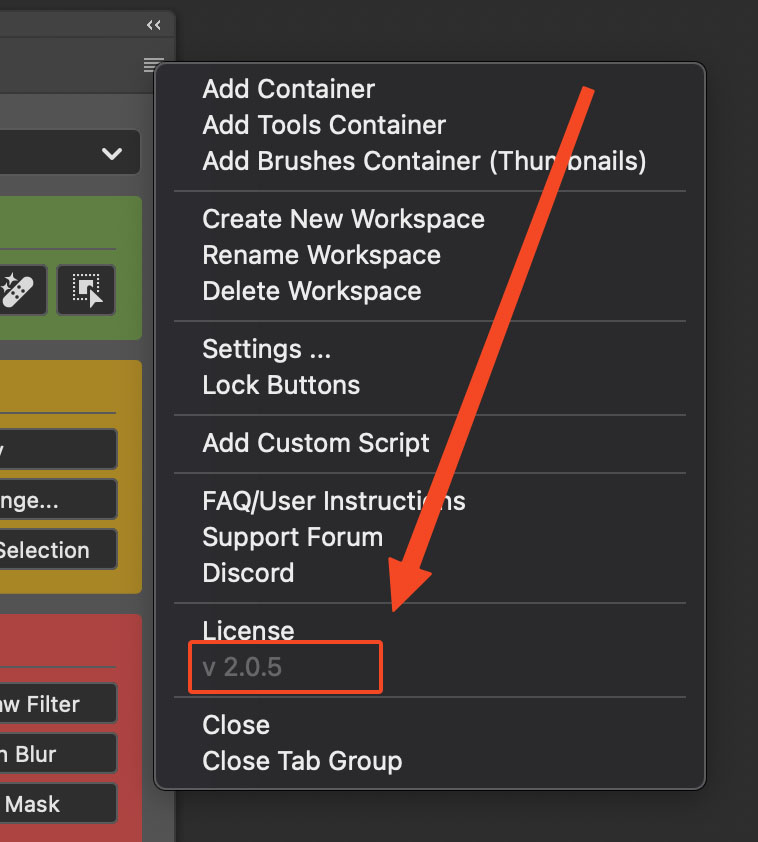
You can check your current version in the panel menu.
CR2 Changelog
2.3.2
July 22, 2026- NewContainers can have multiple tabs. Add tabs from the container or tab context menu, name them, and choose a type: Standard Container, Tools Container, or Brushes Container.
- NewEach tab has its own buttons, color, and Look settings (layout, button size, spacing, and more). Switch tabs by clicking; rename, recolor, edit/copy/paste Look, copy/paste the tab, or delete it from the tab context menu.
- NewCopy and paste containers from the context menu (Copy Container / Paste Container). Paste a copied container as new tab(s) inside another container via Paste as Tab.
- NewReorder tabs by drag and drop. Move buttons between tabs within the same container, or drag commands from the SlideIn onto a tab, hover briefly over another tab to switch to it before dropping.
- ImprovedEmpty containers and tabs show a dashed drop area with “Drag buttons here” hint text so it’s clear where to drag buttons.
- ImprovedDragging a command onto an incompatible container or tab now shows an alert explaining where it belongs (Standard Container, Tools Container, or Brushes Container).
- ImprovedContainer and tab context menus reorganized; Copy and Paste labels reflect whether a container or tab is in the clipboard.
2.3.1
June 1, 2026- ImprovedDrag preview when reordering buttons now matches the full button appearance, including color, icons, brush tip and stroke.
- ImprovedDragging a container to the end of the list now shows a drop indicator and accepts the drop correctly.
- ImprovedEdit Look – cleaner saves and more consistent spacing, roundness, and copy/paste behavior.
- FixedButtons that trigger a Photoshop menu command now work for more menu locations, including workspace-related entries that previously failed (e.g. Window > Workspace > Reset Workspace).
- FixedRoundness in the container look dialog is restored correctly when you close and reopen the dialog.
- Fixed[Command Search] Action set and action names preserve leading and trailing whitespace
2.3.0
April 27, 2026- NewCommand Search — search as you type to find anything; run a match right away or add it as a button to a Configurator panel. Learn more.
- ImprovedRenamed additional panels from 'CR2 (Panel 2)' and 'CR2 (Panel 3)' to 'CR2 II' and 'CR2 III' for improved clarity.
- ImprovedReduced memory usage when the Script Editor panel is closed.
- FixedNot all additional panels were closed after initial install or update.
2.2.3
March 19, 2026- NewDefine exactly how many buttons appear in each row. Button count per row stays fixed when resizing the panel.
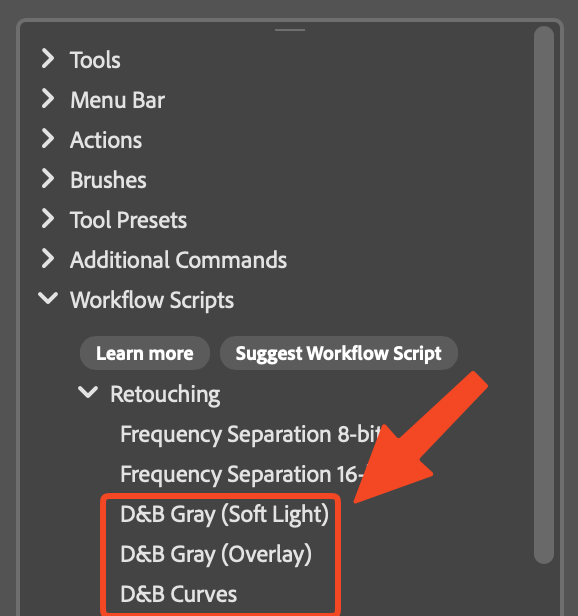
- New[Workflow Scripts] Dodge & Burn (Gray Layer) with blending modes 'Soft Light' and 'Overlay'. Learn more here.
- New[Workflow Scripts] Dodge & Burn (Curves). Learn more here.
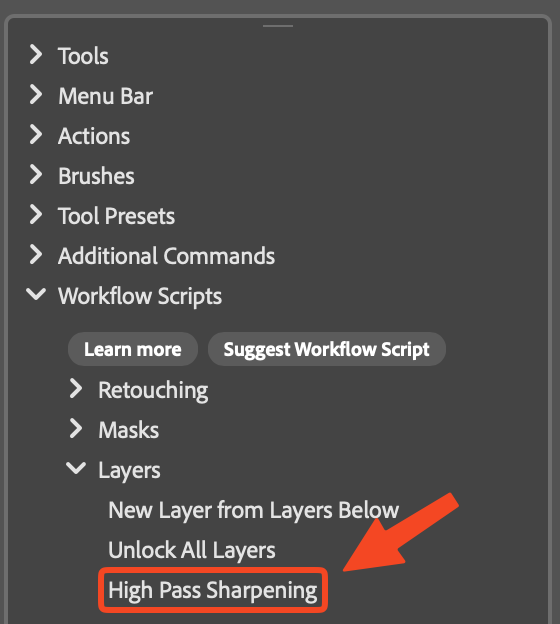
- New[Workflow Scripts] High Pass Sharpening. Learn more here.
- ImprovedWhen renaming a container or button, name and icon changes are now previewed live in the panel while the dialog is open.
- ImprovedUpdated and refined translations
2.2.2
February 25, 2026- New[Script Editor] Autocomplete and API hints for both ExtendScript and UXP Script modes.
- New[Script Editor] Clear button to clear the content.
- New[Script Editor] Select All button to select all editor text.
- NewAdded Triangle Tool.
- Improved[Script Editor] The console panel can now be resized.
- Fixed[Workflow Scripts] Luminosity Masks script now executes correctly again after being broken in version 2.2.1.
2.2.1
February 9, 2026- NewAdded 'Color & Vibrance', 'Clarity & Dehaze', and 'Grain' to 'Additional Commands → New Adjustment Layer (No Dialog)'.
- ImprovedThe Script Editor now opens in a dedicated panel instead of a modal dialog. Click below on 'Read more about version 2.2.1' to learn more.
- ImprovedIntroduced distinct icons for all plugin panels for better visual clarity and navigation.
- ImprovedPlugin installs or updates now open only the main panel instead of all existing panels.
2.2.0
January 27, 2026- This version requires Photoshop 26.0 (Photoshop 2025) or higher.
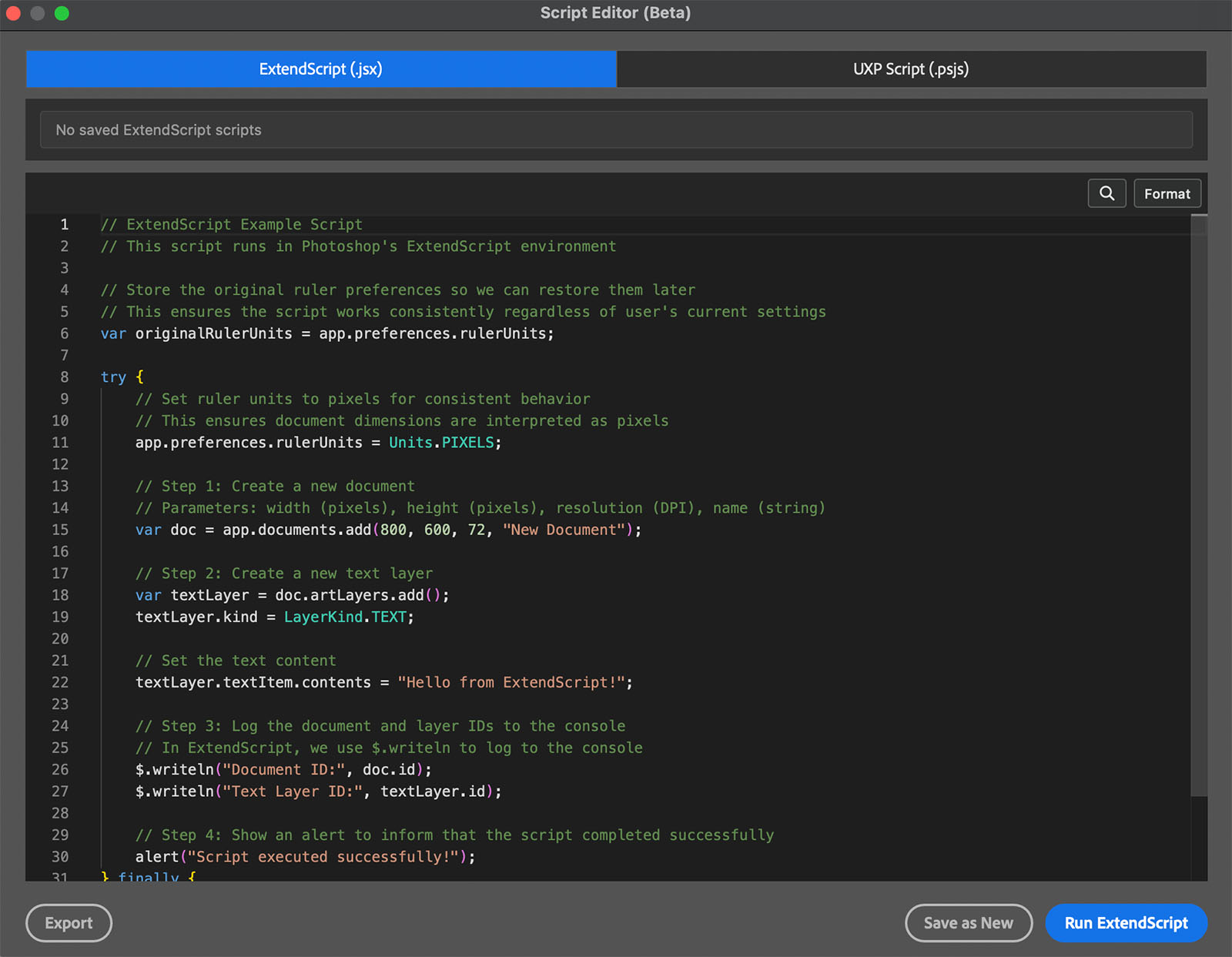
- NewThe Script Editor (Beta) allows you to create, edit, and execute ExtendScript and UXP scripts directly in the plugin, with the option to add scripts as buttons to your CR2 containers.
- ImprovedThe 'Delete' option in the right-click context menu has been moved to the end of the list to reduce the risk of accidental clicks when selecting 'Rename'.
- FixedUXP Scripts (*.psjs) not executing correctly.
- FixedIncrease/Decrease Brush size not working correctly.
- FixedIncrease/Decrease Brush hardness not working correctly.
2.1.7
December 4, 2025- NewAdded a “Suggest Workflow Script” button to the Workflow Scripts section.
- FixedSeveral issues that could occur when running actions, including a blocking progress bar, steps with file-open dialogs not executing, and other related problems.
2.1.6
November 26, 2025- NewOptions to toggle the Brush Name, Brush Tip, and Brush Stroke on or off.
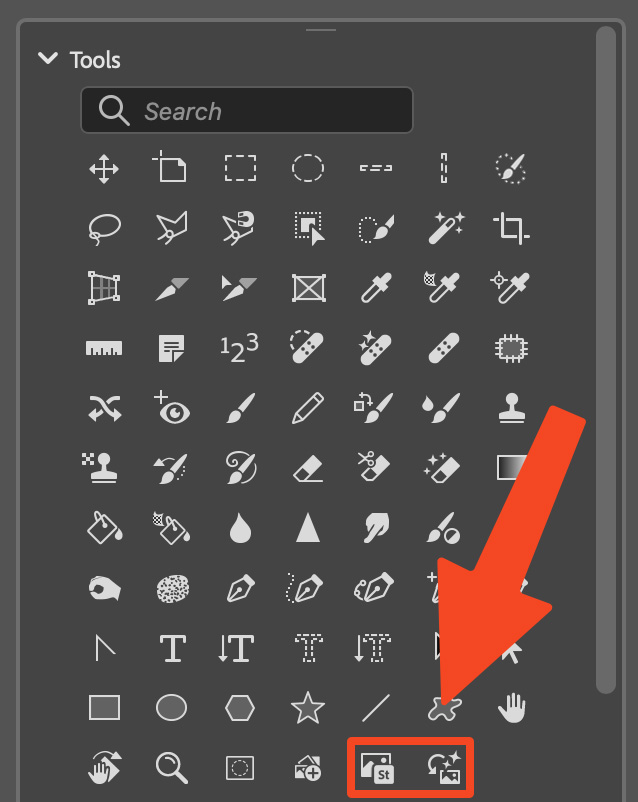
- NewAdded 'Add from device' and 'Add free Adobe Stock images' to Tools (new in Photoshop 27.0).
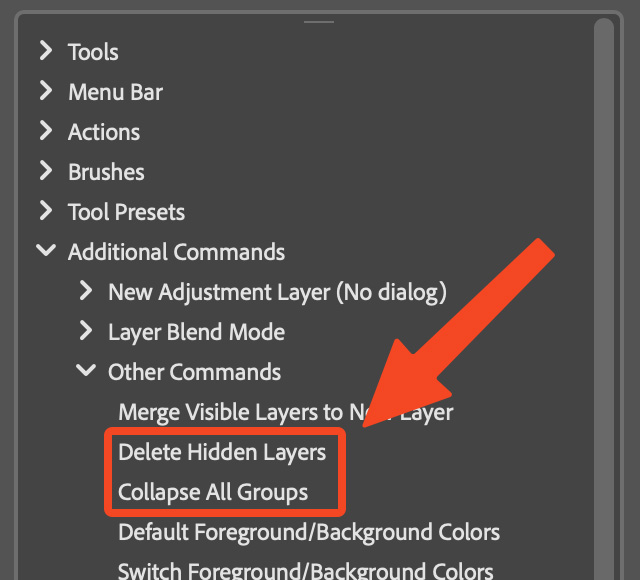
- NewAdded ‘Delete Hidden Layers’ and ‘Collapse All Groups’ to ‘Additional Commands > Other Commands’.
- Bugfixes
2.1.5
September 1, 2025- NewWorkflow script – New Layer from Layers Below. Unlike Photoshop's built-in 'Merge Visible to New Layer', which merges all visible layers, this script merges only the currently selected layer with the visible layers below it (and ignores any layers above).
- NewWorkflow script – Unlock All Layers. Quickly unlocks all layers, including the background layer.
- NewSettings option to disable 'Single History State for Actions'. Useful if your actions include steps that are selecting earlier history states.
- NewStar Tool (added in Photoshop 26.10.0).
- NewAdded ‘Quick Mask’ to Tools, allowing to toggle Quick Mask mode.
- NewAdded 'Generate image' to Tools.
- ImprovedThe settings dialog now includes collapsible sections for better organization.
- ImprovedWorkflow Script Luminosity Masks now automatically opens the Channels panel if it is not visible.
- FixedColored buttons now retain their color while being dragged.
2.1.4
July 31, 2025- NewAdded “Workflow Scripts” section. This section contains ready-to-use scripts, such as Frequency Separation and Luminosity Masks creation. More scripts will be added over time. Learn more about Workflow Scripts here.
- ImprovedPlugin-triggered actions now create a single history state named after the button.
- FixedUI glitches.
2.1.3
May 9, 2025- FixedCrash of Photoshop on Windows when right-clicking a button (introduced in version 2.1.2).
- Fixed'Show Brush Stroke Preview' setting was not retained after restarting Photoshop.
2.1.2
May 7, 2025- NewHovering over a brush now displays a stroke preview. This feature can be turned off in the “Look” settings. Brushes that have already been added will also display a stroke preview, although the stroke appearance might be inaccurate. Removing and re-adding the brush recommended.
- ImprovedDeleting brushes now more reliably removes the corresponding files.
- FixedMultiple issues related to creating brush tip and brush stroke previews.
- FixedSometimes the wrong cursor icon appeared when hovering over the panel.
2.1.1
March 31, 2025- NewAdded option to adjust button roundness for enhanced customization.
- NewIntroduced the ability to copy and paste 'Look' (formerly called 'Appearance') settings.
- ImprovedThe 'Export All Workspaces' function now labels files based on the exported panel, using names like 'all-workspaces-panel-1.cr', 'all-workspaces-panel-2.cr', and 'all-workspaces-panel-3.cr' instead of the generic 'all-workspaces.cr2' for better organization.
- Bugfixes
2.1.0
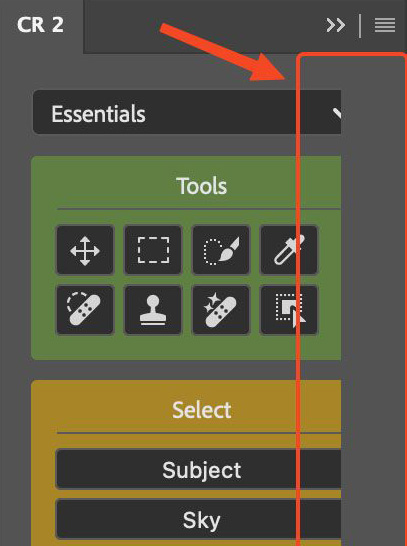
January 20, 2025- NewCompact mode – Reduce padding for a cleaner, more space-efficient design.
- New Copy and paste containers – Easily duplicate your container setups across workspaces and panels.
- ImprovedDrag and drop now works with left-click only, ensuring precise interactions.
- FixedUI glitches where elements were occasionally cut off.
2.0.5
July 25, 2024- NewAdded Selection Brush Tool (new in PS 25.11.0).
- New'Increase Brush Hardness' and “Decrease Brush Hardness' added to “Additional Commands' > “More commands'.
- FixedCommands of type 'Other commands' could be added to wrong containers.
2.0.4
June 17, 2024- NewSlider for changing the spacing between buttons in the Appearance dialog.
- NewName of buttons showing as tooltip. On by default. Can be turned off in the settings.
- New'Increase Brush Size' and 'Decrease Brush Size' added to 'Additional Commands' > 'More commands'.
- ImprovedBrushes are now listed in folders in the SlideIn.
- FixedThe characters \ / : * ? " < > | # in the name of the workspace do not cause the export of a selected workspace to fail.
2.0.3
May 23, 2024- NewAdded Adjustment Brush Tool (new in PS 25.9).
- ImprovedFuture updates can be loaded and installed directly within the plugin.
- ImprovedUpdate message shows link to Changelog.
- Minor bugfixes.
2.0.2
April 30, 2024- NewAdded adjustment layer icons.
- NewConfirm dialog before deleting a container to prevent accidental removal.
- ImprovedCheck and repair database on plugin launch if errors detected.
- Minor bugfixes.
2.0.1
February 27, 2024- NewAdd multiple scripts at once.
- FixedProblem where buttons were multiplied after being added from the SlideIn.
- Minor bugfixes.