Customize Brushes, New Asset Import & More
November 26, 2025
Configurator Reloaded 2.1.6
Version 2.1.6 is now available with the following changes:
New: Customize Brush Display
You can now fully customize how brushes appear in your panel. New options allow you to independently toggle the visibility of the Brush Name, Brush Tip, and Brush Stroke. This gives you the flexibility to create a compact, icon-only view or a detailed list with previews, depending on your workflow needs.
New: Support for Photoshop 27.0 Asset Import
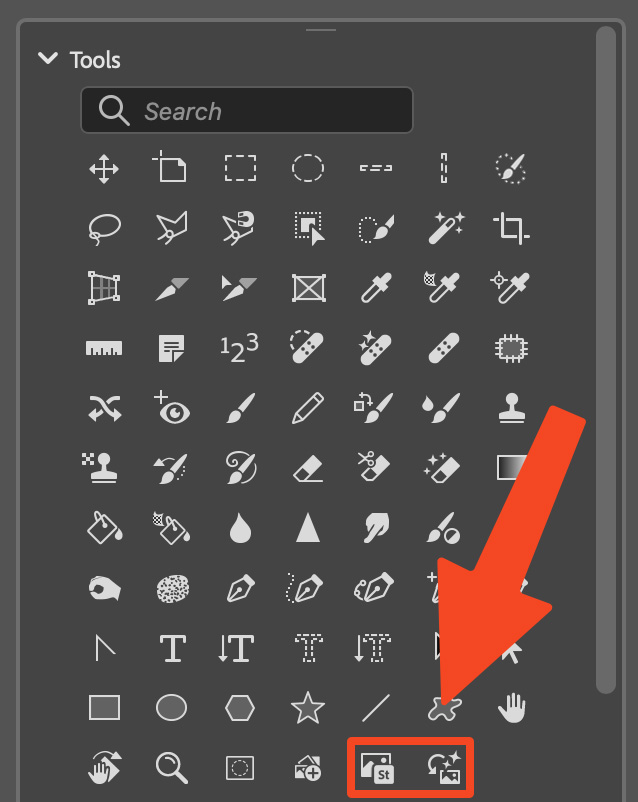
With the release of Photoshop 27.0, Adobe introduced new methods for bringing assets into your documents. The Tools section has been updated to support these features. Buttons for "Add from device" and "Add free Adobe Stock images" can now be added, allowing you to import local files or stock assets directly from your custom panel.
New: Layer Organization Commands
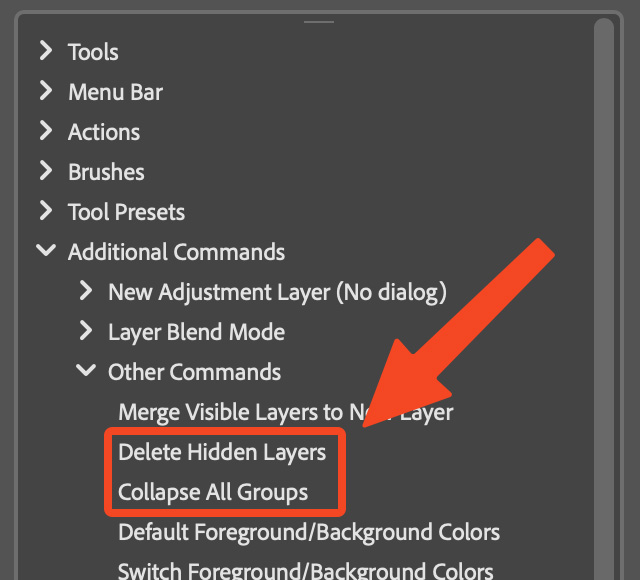
Keeping complex documents organized can be a challenge. To help with this, two new commands have been added under Additional Commands > Other Commands:
- Delete Hidden Layers: Instantly cleans up your file by removing all layers that are currently not visible.
- Collapse All Groups: Quickly closes all expanded layer groups, giving you a tidy, high-level overview of your layer structure.
Minor Bugfixes
This update also includes various smaller fixes and performance improvements to ensure the plugin runs smoothly and reliably in your daily work.